Salesforce is rarely the only system in the room.
It needs orders from ERP, products from a catalog, payments from billing, and it needs to tell other systems when an opportunity is won or a case is closed. How those connections are designed has a huge effect on performance, reliability and how easily the org can change.
Over the years I have seen many Salesforce integrations that worked perfectly in testing and struggled in production. Usually not because the code was wrong, but because the integration style did not fit the problem.
The Main Integration Options
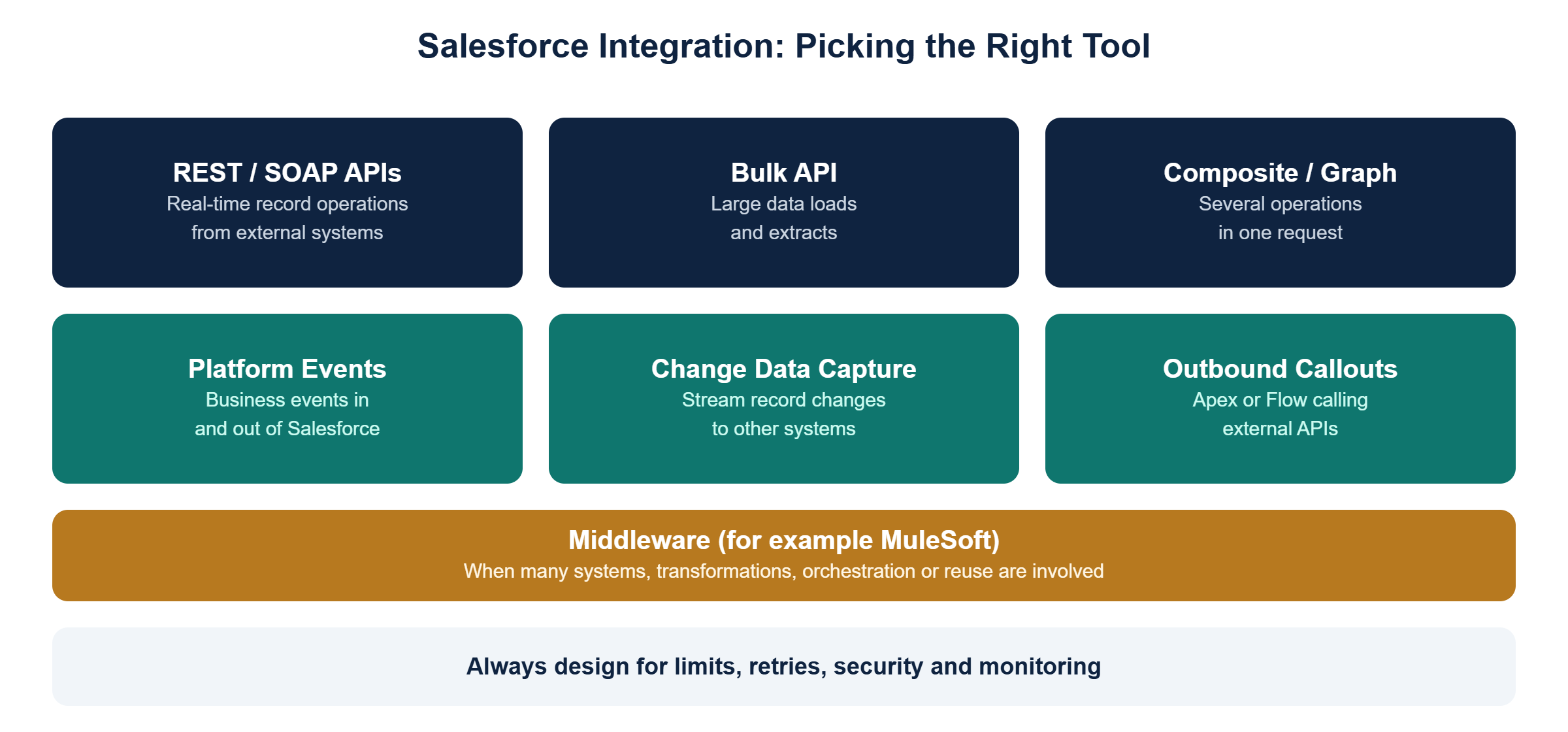
REST and SOAP APIs
For real-time create, read, update and delete operations from external systems. REST is the default for most modern integrations.
Bulk API
For large data volumes, such as nightly loads of thousands or millions of records. Using the standard API for bulk work is a common cause of hitting limits.
Composite and GraphQL APIs
For performing several related operations in a single request, reducing round trips and API consumption.
Platform Events
For publishing and subscribing to business events, both inside Salesforce and to external systems. Ideal for decoupled, event-driven integration.
Change Data Capture
For streaming changes to Salesforce records to external systems in near real time, without building custom triggers.
Outbound callouts
For Salesforce calling external services, from Apex or Flow. Useful for real-time lookups, but be careful about user experience if the external system is slow.
Middleware
When many systems are involved, data needs heavy transformation, or integrations should be reused, an integration platform such as MuleSoft keeps Salesforce from becoming a tangle of point-to-point connections.
Choosing the Right Option
When designing a Salesforce integration, I ask:
- Direction: is data coming in, going out, or both?
- Timing: does it need to happen in real time, near real time or in batch?
- Volume: a few records, or millions?
- Coupling: should the systems know about each other, or stay independent?
- Reuse: will other systems need the same data or logic?
Those five questions usually point clearly to the right option.
Things That Bite in Production
API limits
Salesforce enforces limits on API calls and processing. Design integrations to be efficient, use bulk and composite APIs where they fit, and monitor consumption.
Security
Use dedicated integration users with the minimum permissions they need, and modern authentication such as OAuth with connected apps or external client apps. Never share human user credentials with integrations.
Error handling and retries
What happens when an external system is down? Every integration needs a clear retry strategy, error logging and someone responsible for fixing failures.
Data ownership
If both Salesforce and another system can update the same field, decide which one wins. Bidirectional sync without clear rules creates endless data conflicts.
Final Thought
The best Salesforce integrations are often the boring ones.
They use the right tool for the job, respect the platform's limits, and fail gracefully, so nobody has to think about them on a Monday morning.